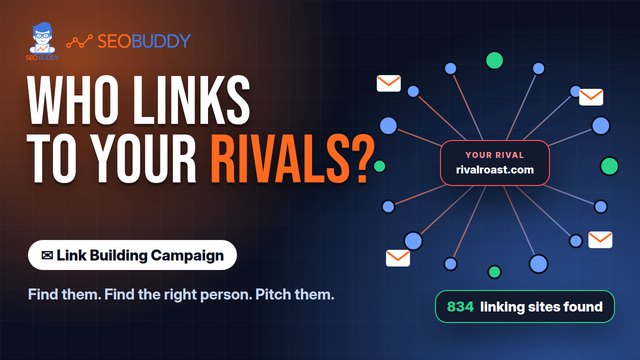
Link Building Campaign
Find relevant link prospects and contacts, then send a three-email outreach sequence from your own mailbox. Find prospects and send outreach from your own mailbox.
Choose one of two prospecting methods, find contact addresses, see Domain Rating and send a three-email sequence from your connected mailbox. Link Building Campaign is billed against a prepaid balance with no subscription. Your first campaign costs $1, whichever method you choose.
Already bought this? Log in
Is this the right method?
Use it when you want to control the targeting and outreach
Link Building Campaign supports prospect discovery and outreach execution. SEO Buddy provides sending controls, while you remain responsible for the mailbox, the message, targeting decisions and the legality of contacting each prospect.
Choose Link Building Campaign if:
you want to find prospects around a keyword or competing pages and send outreach from your own mailbox.
Choose Link Chest if:
you want a database of established submission opportunities that you or a VA can work through.
Choose Link Building Services if:
you want the placement work handled rather than running outreach yourself.
Already bought this? Log in
Two prospect sources
Start with keyword mentions or the links behind competing pages
Link Building Campaign uses two different approaches to identify potential outreach targets.
Keyword mention prospects
Find sites that already mention your keyword without competing for it.
Competitor backlink prospects
Find sites linking to pages that currently outrank your page.
These methods identify potential prospects. They do not guarantee that a site will reply, agree to a placement or create a link.
Already bought this? Log in
How a campaign works
Move from a search topic to a three-email outreach sequence
The product brings prospect discovery, contact finding and email sending into one campaign workflow. The email sequence is sent from your own mailbox, not from an SEO Buddy sending identity.
The exact criteria used in the site check are not yet published. Domain Rating and a site check should not be treated as guarantees of relevance, editorial quality or search performance.
Start with a keyword and choose a prospecting method.
Identify potential sites using keyword mentions or competing-page backlinks.
Find a contact address without generating a guessed address pattern.
View Domain Rating and the result of the product’s site check.
Review the price before launching the campaign.
Send a three-email outreach sequence from your mailbox.
Stop the remaining sequence automatically when a prospect replies.
Already bought this? Log in
Contact and site information
Addresses are found, not guessed
Link Building Campaign looks for contact addresses rather than creating a likely address from a name and domain. A found address may still be outdated, inactive or unable to receive your message. It also displays Domain Rating for each prospect.
- A found address may still be outdated, inactive or unable to receive your message.
- Domain Rating is a third-party site metric, not a guarantee that a site is relevant or suitable.
- The exact site-checking criteria are not currently available on the public page.
- Do not treat a displayed metric as a promise of replies, links, rankings or traffic.
Pay per use
No subscription. See the price before you launch.
Link Building Campaign charges your prepaid balance for what a campaign uses. The product shows the price before you launch.
- First campaign $1, whichever prospecting method you choose
- One keyword and one country 73 opportunities and 44 contacts for $1.80 all in
- 5,000-prospect example At $0.0004 per prospect, reaching 5,000 prospects costs about $2
Unspent prepaid balance never expires. You can request a refund to the card used to fund the balance.
Already bought this? Log in
One measured campaign
An example, not a forecast
In one measured campaign for one keyword in one country, the product identified 73 opportunities and 44 contacts for a total cost of $1.80.
Already bought this? Log in
Shared responsibility
SEO Buddy provides sending controls. You provide the mailbox, targeting and legal basis.
Link Building Campaign includes controls for unsubscribes, sending volume, sending times, replies and bounces. You remain responsible for the mailbox and its authentication, the businesses you choose to contact, the content of your messages and the legality of your outreach.
What SEO Buddy provides
- A one-click unsubscribe link unique to each recipient, switched on by default and configurable per campaign
- A per-mailbox daily limit, set to 40 emails a day by default and enforced by the sending worker
- A configurable sending window, set to weekdays from 09:00 to 17:00 UTC by default
- An automatic stop to every remaining follow-up for a prospect as soon as that prospect replies
- Hard- and soft-bounce recording and suppression for affected addresses
- A campaign halt if the connected customer mailbox starts failing
What you provide
- The sending mailbox and its SPF, DKIM and DMARC authentication
- The targeting decisions and a relevance check before contacting each prospect
- Accurate sender details, claims and message content
- Responsibility for whether contacting a business is lawful in the relevant jurisdiction
- Any sender address or other disclosure required in your own template
SEO Buddy does not append a postal address to your email footer. Add any address required for your outreach to your own template and check it in the message preview. These controls do not guarantee delivery, replies, placements, rankings or traffic.
Campaign questions
What to know before you run outreach
Are contact addresses guessed?
No. The product finds contact addresses rather than generating a guessed address pattern. A found address may still be outdated or inactive.
Whose mailbox sends the emails?
Your own mailbox sends the three-email sequence. You are responsible for its authentication, including SPF, DKIM and DMARC.
Is there a subscription?
No. Link Building Campaign is billed by usage against a prepaid balance.
What will a campaign cost?
The first campaign costs $1, whichever prospecting method you choose. You pay for what each campaign uses and see the price before launching. One measured keyword-and-country campaign produced 73 opportunities and 44 contacts for $1.80. At $0.0004 per prospect, reaching 5,000 prospects costs about $2.
Will I definitely get replies or links?
No. Prospecting and email delivery do not guarantee a reply, placement, ranking or traffic result.
What does the product check about a site?
A site check is part of the workflow, but the exact criteria are not yet published. Domain Rating alone should not determine whether you contact a site.
What happens to unused balance?
It never expires. You can request a refund to the card used to fund it.
How many emails can the product send?
The enforced default is 40 emails per mailbox each day. The default sending window is weekdays from 09:00 to 17:00 UTC, and the window is configurable.
What happens when someone replies?
The sequence stops immediately for that prospect, and every remaining follow-up is marked as stopped.
How are unsubscribes handled?
A unique one-click unsubscribe link is switched on by default and can be configured per campaign.
How are bounces handled?
Hard and soft bounces are recorded and suppressed for the affected address. The whole campaign stops if the connected customer mailbox starts failing.
Does SEO Buddy add a postal address to the email footer?
No. Add any sender address required for your outreach to your own template and check it in the preview.
Does the product handle legal compliance for me?
No. The product provides sending controls, but you decide whom to contact and remain responsible for the legality of your outreach in each jurisdiction.
Already bought this? Log in
Choose your link-building method
Run outreach yourself or hand off the placement work
Create an account if you want to control prospecting and email from your own mailbox. Choose Link Building Services if you want team-handled placements instead.
Already bought this? Log in