Link Building Campaign

Find relevant link prospects and contacts, then send a three-email outreach sequence from your own mailbox. Find prospects and send outreach from your own mailbox.

Choose one of two prospecting methods, find contact addresses, see Domain Rating and send a three-email sequence from your connected mailbox. Link Building Campaign is billed against a prepaid balance with no subscription. You pay for what each campaign uses, and the price is shown before you launch.

Already bought this? Log in

Link insertion campaign Contextual Link Building Balance $18.40 Setup 2 Opportunities 3 Email discovery 4 Sequence 5 Review & launch 1 · Search queries 2 keywords × 1 country = 2 searches · top 100 results each · United States Advanced settings "cold brew coffee" -intitle:cold -intitle:brew -intitle:coffee -site:reddit.com -site:wikipedia.org -site:facebook.com Finding opportunities $0.05 2 searches @ $0.025 Est. prospects 74 after the DR 20-99 filter Finding contacts Free pages we know are never re-read Launch $0.99 once, only if you send it 2 · Quality filter Only domains rated DR 20 to 99 go through to contact retrieval Keep domains rated 20 to 99 Domain Rating is looked up for every prospect, at no cost to you Find opportunities → Nothing is charged until you press this.

Step 2 of a campaign: the exact query, and what the run costs

More than links

We don't build links.
We build the relationships that create them.

Build backlinks

On auto-pilot.

  • Build backlinks
  • Build relationships
  • Recruit affiliates
  • Get press
  • Book podcast interviews

Every one of those is the same motion: find the right person, give them a reason to care, and ask properly. That is what the engine does on your behalf, one email at a time, from your own mailbox.

YOUR SITE Editor hrweekly.co.uk Link Journalist trade press Press Podcast host the show Booked Creator their audience Affiliate

Is this the right method?

Use it when you want to control the targeting and outreach

Link Building Campaign supports prospect discovery and outreach execution. SEO Buddy provides sending controls, while you remain responsible for the mailbox, the message, targeting decisions and the legality of contacting each prospect.

Choose Link Building Campaign if:

you want to find prospects around a keyword or competing pages and send outreach from your own mailbox.

Choose Link Chest if:

you want a database of established submission opportunities that you or a VA can work through.

Choose Link Building Services if:

you want the placement work handled rather than running outreach yourself.

Already bought this? Log in

Where you are today

Not every site needs the same kind of link

Buying outreach placements for a brand-new site is the wrong order of operations, and grinding through directories at DR 60 is a waste of a week. What works depends on the Domain Rating you are starting from, so here is the honest version, including the parts where the answer is not this page.

DR 0 to 30 Link Chest Volume, worked by hand DR 30 to 50 Guest Post Database Editorial placements and swaps DR 50 and above Link Building Campaign & Services Outreach, and nothing else DR 0 30 50 DR 100

DR 0 to 30

Link Chest

At this stage you have almost no profile to protect, and almost any relevant, indexed link still moves the needle. What you need is volume you can work through yourself without paying per placement.

What to do: work the submission opportunities in the Link Chest, or hand the list to a VA and let them grind it.

DR 30 to 50

Guest Post Database & Link Exchange

Directories have stopped paying you back. What keeps the curve going is editorial placements on real blogs and straight swaps with sites around your own size, where nobody has to be talked into anything.

What to do: work the Guest Post Database and run exchanges. Both live inside SEO Buddy. If they are not in your menu yet, ask us and we will switch them on.

DR 50 and above

Link Building Campaign & Services

Nothing cheap moves you any more. The only thing that still does is a relevant link on a site that already has traffic and already ranks for your subject, and the only way to get one is to ask its editor for it.

What to do: run the outreach yourself with Link Building Campaign, or have our team run it and place the links for you.

Two campaign types

Ask the pages that mention your subject, or the pages that link to your competition

Both run the same outreach from your own mailbox and both are priced on what they use. They differ in where the prospects come from, and that changes how many you get and how warm they are.

Link insertion

Contextual Link Building

Ask editors whose articles mention your keyword, but are not competing for it, to send readers who want to go deeper to your page.

The process

You give one keyword and one country. The product reads the first 100 Google results and keeps only the pages that mention the keyword without being about it. The query excludes it from every title, which removes the competitors along with forums, social media and Wikipedia. What is left is articles with a natural place for your link.

The data

Google's top 100 for each keyword and country, the pages themselves read for an address that is published openly, Ahrefs Domain Rating on every domain, and a shared contact record, so a page anyone has already paid to find costs nothing to reach again.

Measured on real campaigns

About 37 opportunities per search, an address found free for roughly 23% of them and about 60% once the two optional paid passes run. A two-keyword campaign comes to about $1.80 all in.

Why it works

You are not asking a competitor to help you outrank them. You are asking someone who touched on your subject in passing whether their readers would like somewhere to go for the full story, which costs them nothing and makes their article better.

Prospect quality 8/10
Scalability 5/10
SEO impact per good link 9/10
Overall campaign quality 8/10

Pick this when you want the link inside the body of an article that is already about something close to your subject. It is the tighter, slower, higher-value placement.

Skyscraper technique

Competitor Backlink Outreach

Find the sites already linking to the pages that outrank you, and offer them something better.

The process

You give the article you want links to, your keywords and up to five countries. The product finds the pages already ranking for those keywords, then pulls every site that links to each of them. Those linking sites are your prospects, and from there the campaign runs exactly like link insertion: same address finding, same quality filter, same sequence from your own mailbox.

The data

Google's top 10 for each keyword and country, then every site linking to those pages, one row per site rather than per link, because you write to a site once. A page ranking in four countries is read once, not four times. It also counts how many of the ranking pages each site links to.

Measured on real campaigns

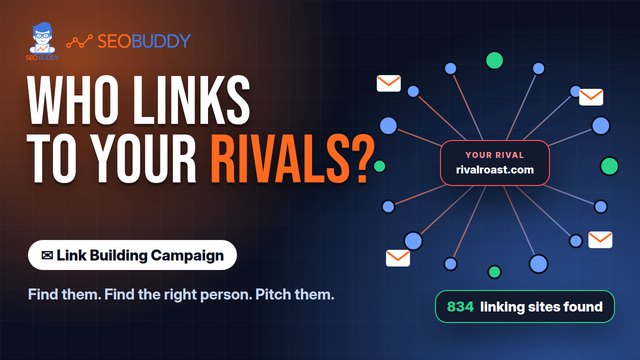
One keyword in one country read 8 ranking pages and returned 834 sites that link to them, for $0.36, about $0.0004 a prospect. Roughly one site in twenty links to more than one of the ranking pages, and those are the ones to lead with.

Why it works

Someone who has already linked to an article on this subject has proved they link to this subject. You are not asking a stranger to care. You are offering a better version of something they already chose to reference.

Prospect quality 9/10
Scalability 9/10
SEO impact per good link 8/10
Overall campaign quality 9/10

Pick this when you want volume, and you have an article good enough to be pitched as the better version. One keyword in one country returns hundreds of prospects rather than dozens.

These methods identify potential prospects. They do not guarantee that a site will reply, agree to a placement or create a link.

Already bought this? Log in

How a campaign works

Move from a search topic to a three-email outreach sequence

The product brings prospect discovery, contact finding and email sending into one campaign workflow. The email sequence is sent from your own mailbox, not from an SEO Buddy sending identity.

The exact criteria used in the site check are not yet published. Domain Rating and a site check should not be treated as guarantees of relevance, editorial quality or search performance.

  1. Start with a keyword and choose a prospecting method.

  2. Identify potential sites using keyword mentions or competing-page backlinks.

  3. Find a contact address without generating a guessed address pattern.

  4. View Domain Rating and the result of the product’s site check.

  5. Review the price before launching the campaign.

  6. Send a three-email outreach sequence from your mailbox.

  7. Stop the remaining sequence automatically when a prospect replies.

Step 1

Setup

Name the page you want links to, add your keywords and pick the countries to search.

Step 2

Opportunities

See the query before it runs, and what the run will cost, then filter on Domain Rating.

Step 3

Email discovery

Addresses are read off the pages themselves. Anything without a published address is skipped.

Step 4

Sequence

Three emails on your own delays, sent from your mailbox. A reply cancels the rest.

Step 5

Review & launch

The full cost, the sending mailbox and the daily limits, on one screen before you commit.

Already bought this? Log in

Contact and site information

Addresses are found, not guessed

Link Building Campaign looks for contact addresses rather than creating a likely address from a name and domain. A found address may still be outdated, inactive or unable to receive your message. It also displays Domain Rating for each prospect.

  • A found address may still be outdated, inactive or unable to receive your message.
  • Domain Rating is a third-party site metric, not a guarantee that a site is relevant or suitable.
  • The exact site-checking criteria are not currently available on the public page.
  • Do not treat a displayed metric as a promise of replies, links, rankings or traffic.
Contacts 44 found · best first: 29 exact matches, 15 shared inboxes Ready to email 44 of 73 opportunities On the article 31 byline in the post Contact page 13 from the site Guessed 0 none, by design brewjournal.com [email protected] On the article exact match DR 54 themorningcup.co [email protected] Contact page shared inbox DR 41 dailygrind.blog [email protected] On the article exact match DR 47 roastreview.net No address published Not found add one by hand, or skip DR 38 Every page is read fresh. Nothing here is a pattern invented from a name and a domain.

Every address carries where it was read from

Pay per use

No subscription. See the price before you launch.

Link Building Campaign charges your prepaid balance for what a campaign uses. The product shows the price before you launch.

  • One keyword and one country 73 opportunities and 44 contacts for $1.80 all in
  • 5,000-prospect example At $0.0004 per prospect, reaching 5,000 prospects costs about $2

Unspent prepaid balance never expires. You can request a refund to the card used to fund the balance.

Already bought this? Log in

One measured campaign

An example, not a forecast

In one measured campaign for one keyword in one country, the product identified 73 opportunities and 44 contacts for a total cost of $1.80.

73opportunities identified
44contacts found
$1.80total campaign cost

Already bought this? Log in

Shared responsibility

SEO Buddy provides sending controls. You provide the mailbox, targeting and legal basis.

Link Building Campaign includes controls for unsubscribes, sending volume, sending times, replies and bounces. You remain responsible for the mailbox and its authentication, the businesses you choose to contact, the content of your messages and the legality of your outreach.

What SEO Buddy provides

  • A one-click unsubscribe link unique to each recipient, switched on by default and configurable per campaign
  • A per-mailbox daily limit, set to 40 emails a day by default and enforced by the sending worker
  • A configurable sending window, set to weekdays from 09:00 to 17:00 UTC by default
  • An automatic stop to every remaining follow-up for a prospect as soon as that prospect replies
  • Hard- and soft-bounce recording and suppression for affected addresses
  • A campaign halt if the connected customer mailbox starts failing

What you provide

  • The sending mailbox and its SPF, DKIM and DMARC authentication
  • The targeting decisions and a relevance check before contacting each prospect
  • Accurate sender details, claims and message content
  • Responsibility for whether contacting a business is lawful in the relevant jurisdiction
  • Any sender address or other disclosure required in your own template

Campaign questions

What to know before you run outreach

Are contact addresses guessed?

No. The product finds contact addresses rather than generating a guessed address pattern. A found address may still be outdated or inactive.

Whose mailbox sends the emails?

Your own mailbox sends the three-email sequence. You are responsible for its authentication, including SPF, DKIM and DMARC.

Is there a subscription?

No. Link Building Campaign is billed by usage against a prepaid balance.

What will a campaign cost?

You pay for what each campaign uses and see the price before launching. One measured keyword-and-country campaign produced 73 opportunities and 44 contacts for $1.80. At $0.0004 per prospect, reaching 5,000 prospects costs about $2.

Will I definitely get replies or links?

No. Prospecting and email delivery do not guarantee a reply, placement, ranking or traffic result.

What does the product check about a site?

A site check is part of the workflow, but the exact criteria are not yet published. Domain Rating alone should not determine whether you contact a site.

What happens to unused balance?

It never expires. You can request a refund to the card used to fund it.

How many emails can the product send?

The enforced default is 40 emails per mailbox each day. The default sending window is weekdays from 09:00 to 17:00 UTC, and the window is configurable.

What happens when someone replies?

The sequence stops immediately for that prospect, and every remaining follow-up is marked as stopped.

How are unsubscribes handled?

A unique one-click unsubscribe link is switched on by default and can be configured per campaign.

How are bounces handled?

Hard and soft bounces are recorded and suppressed for the affected address. The whole campaign stops if the connected customer mailbox starts failing.

Does SEO Buddy add a postal address to the email footer?

No. Add any sender address required for your outreach to your own template and check it in the preview.

Does the product handle legal compliance for me?

No. The product provides sending controls, but you decide whom to contact and remain responsible for the legality of your outreach in each jurisdiction.

Already bought this? Log in

Choose your link-building method

Run outreach yourself or hand off the placement work

Create an account if you want to control prospecting and email from your own mailbox. Choose Link Building Services if you want team-handled placements instead.

Already bought this? Log in