
WordPress vs Wix for SEO: Which Platform Is Better in Practice?

In short
WordPress is usually better for SEO when a business needs custom technical control and has someone to maintain it. Wix is often the better practical choice for a small team that wants reliable built-in SEO tools, managed hosting, and fewer maintenance tasks. Both platforms can rank; execution matters more than the label.
Key takeaways
- Self-hosted WordPress offers the higher technical ceiling, but a business must maintain its hosting, software, themes, and extensions.
- As of September 2026, Wix supports editable metadata, canonicals, robots.txt, automatic sitemaps, redirects, and structured data workflows.
- Neither platform is automatically faster; real Core Web Vitals depend on the design, media, scripts, hosting configuration, and ongoing changes.
- Wix suits teams that want a managed system, while WordPress suits teams that have a clear technical owner.
- Switching platforms safely requires URL mapping, permanent redirects, updated canonicals, a new sitemap, and post-launch monitoring.
This comparison uses WordPress to mean the self-hosted software available from the WordPress.org download page, where the site owner arranges hosting and a domain. It does not compare Wix with a hosted WordPress.com plan. That distinction matters because self-hosting creates both WordPress's extra control and its maintenance burden. Readers who need a refresher on crawlability, content, and links can review these SEO fundamentals.
Is WordPress or Wix better for SEO?
Self-hosted WordPress has the higher SEO ceiling, while Wix has the lower operational burden. The better choice is the platform your team can run without accumulating technical debt, delaying publication, or leaving important changes unreviewed.
Google's Search Essentials, updated in December 2025, emphasizes helpful content, descriptive page elements, crawlable links, and technical accessibility. Google does not state that either Wix or WordPress receives a ranking bonus simply because of the platform name.
The useful question is therefore not whether one platform can rank. It is which platform lets a particular business publish valuable pages, maintain crawlability, implement the required markup, measure performance, and correct problems promptly.
Where does each platform win?
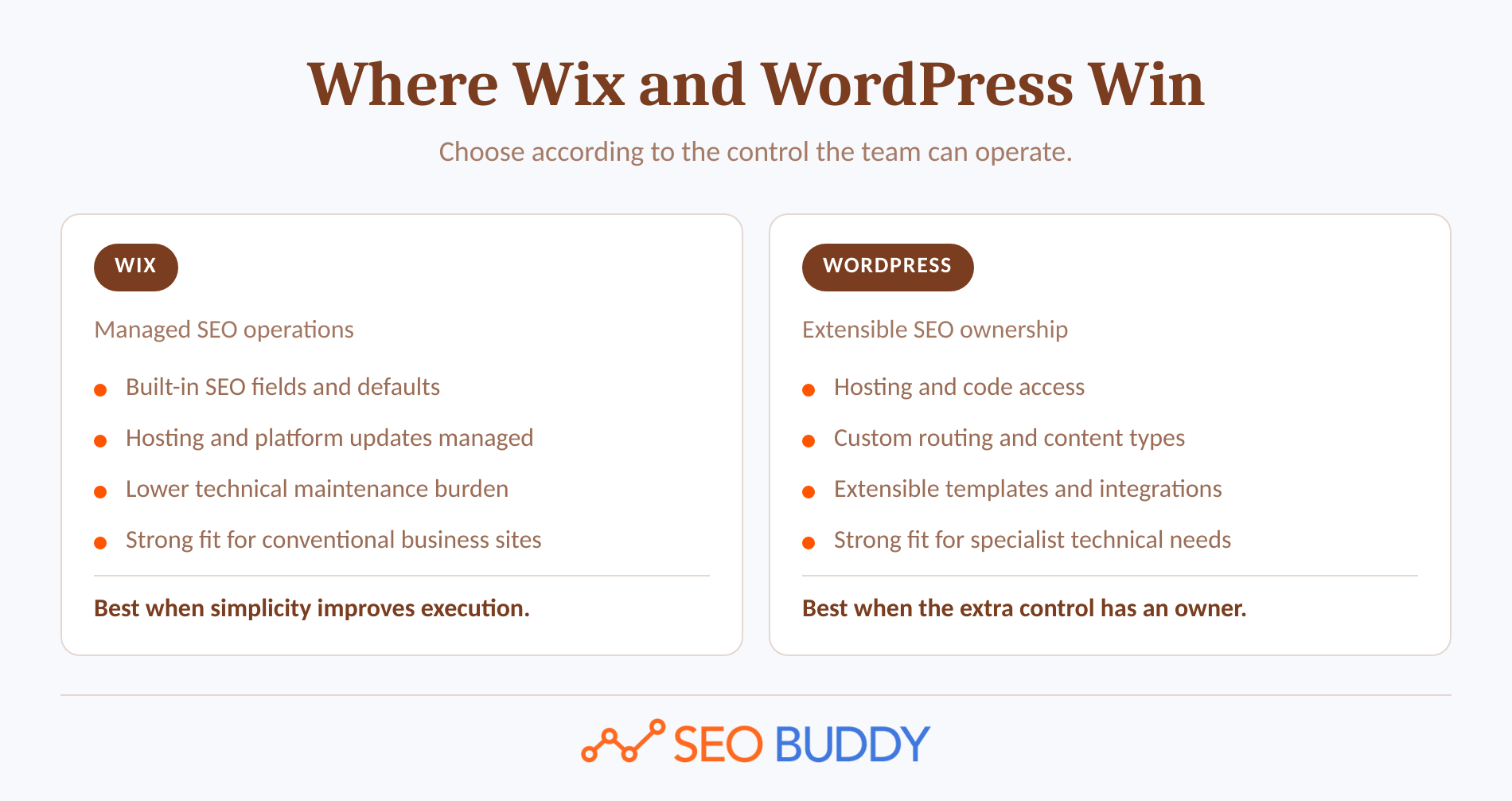
Choose Wix when the website is relatively conventional and the team values managed hosting, built-in SEO fields, automatic technical defaults, and one place to manage the site. A very simple website does not automatically benefit from owning a more complex technical stack.
Choose self-hosted WordPress when the SEO plan requires custom content types, unusual URL rules, advanced templates, specialized integrations, server changes, or complete ownership of the code and hosting environment. The WordPress feature documentation confirms that developers can modify the software and extend it through themes, plugins, APIs, and custom content types.
WordPress is the better SEO platform only when the business can use and maintain its extra control.
Anybody can generate an article. Knowing which one is worth writing is the hard part.
The AI Content Engine reads your site and your competitors, then builds a ranked content plan and writes it. Setup is free, and you see your plan before you pay for anything.
See your content plan freeWhat SEO controls do you actually get on each platform?
Both platforms cover the everyday controls needed for most business websites. WordPress provides more ways to modify those controls, while Wix provides more of them as managed settings with safe defaults.
As of September 2026, the Wix SEO panel documentation covers title tags, meta descriptions, URL slugs, indexing, canonical tags, structured data, social metadata, and additional meta tags. Wix also has an editable robots.txt editor, automatically maintained sitemaps, and a redirect manager.
Self-hosted WordPress supports human-readable URLs through its permalink settings. Developers can go further through the WordPress Rewrite API, templates, extensions, server rules, and custom code. WordPress also includes an extensible XML sitemap API.
What does the control comparison look like?
| SEO task | Wix | Self-hosted WordPress |
|---|---|---|
| Edit titles and descriptions | Built into page and page-type settings | Usually managed through the theme, an SEO extension, or custom code |
| Change URL slugs | Available for standard pages and supported content types | Available through permalinks, content settings, and custom rewrite rules |
| Set canonical or indexing directives | Available in the SEO panel | Usually controlled through an SEO layer, theme, or code |
| Edit robots.txt | Available through the SEO and GEO dashboard | Available through the server, a virtual file, an extension, or code |
| Generate XML sitemaps | Automatic and updated after site changes | Included in core and extensible through code or an SEO extension |
| Create permanent redirects | Built-in URL Redirect Manager | Available through the host, server configuration, an extension, or code |
| Add structured data | Presets plus custom JSON-LD within documented limits | Added through code, themes, extensions, or a custom data pipeline |
| Change hosting or server configuration | Hosting remains within Wix infrastructure | Site owner chooses and can change the hosting and server configuration |
The claim that Wix cannot edit robots.txt or create redirects is no longer accurate. The real difference is that Wix exposes supported controls inside a managed environment, while WordPress lets qualified teams replace or rebuild almost every layer.
Wix now covers the technical SEO baseline; WordPress wins when a business genuinely needs to go beyond the platform's supported controls.
Which platform gives you more control over crawling and structured data?
WordPress provides more unrestricted crawling and markup control, but Wix provides enough control for many standard business, blog, event, booking, and product-page implementations. The deciding factor is whether the site needs ordinary supported markup or a custom technical system.
The current Wix sitemap documentation shows that Wix creates a sitemap index and separate sitemaps for supported page types. Wix updates those files after site changes and can submit the sitemap when the SEO Setup Checklist is completed.
Wix also provides preset and manual JSON-LD workflows. Its structured data documentation states that manual markup must be under 7,000 characters and that up to five markups can be added to a page. Availability and preset behavior vary by page type.
WordPress does not impose those same editor-level limits because a developer can generate JSON-LD through templates, custom fields, extensions, or external data. That freedom is valuable for large schema graphs, specialized entities, programmatic pages, or markup assembled from several internal systems. It also creates more opportunities for duplicate, contradictory, or outdated markup.
Google's structured data guidelines make an important distinction: correct markup creates eligibility for supported search features, but it does not guarantee a rich result and does not replace the visible content. The markup must represent what readers can actually see.
Structured data is easier to standardize in Wix, while unusual implementations are easier to engineer in WordPress.
Which platform is faster in practice?
Neither Wix nor WordPress is automatically faster across all websites. Speed depends on the template, media, scripts, applications, hosting configuration, cache behavior, and changes made after launch.
Google's Core Web Vitals documentation, updated in December 2025, defines three good-experience thresholds. These numbers should be measured on representative pages and real devices, not assumed from a platform comparison.
What does Google actually measure?
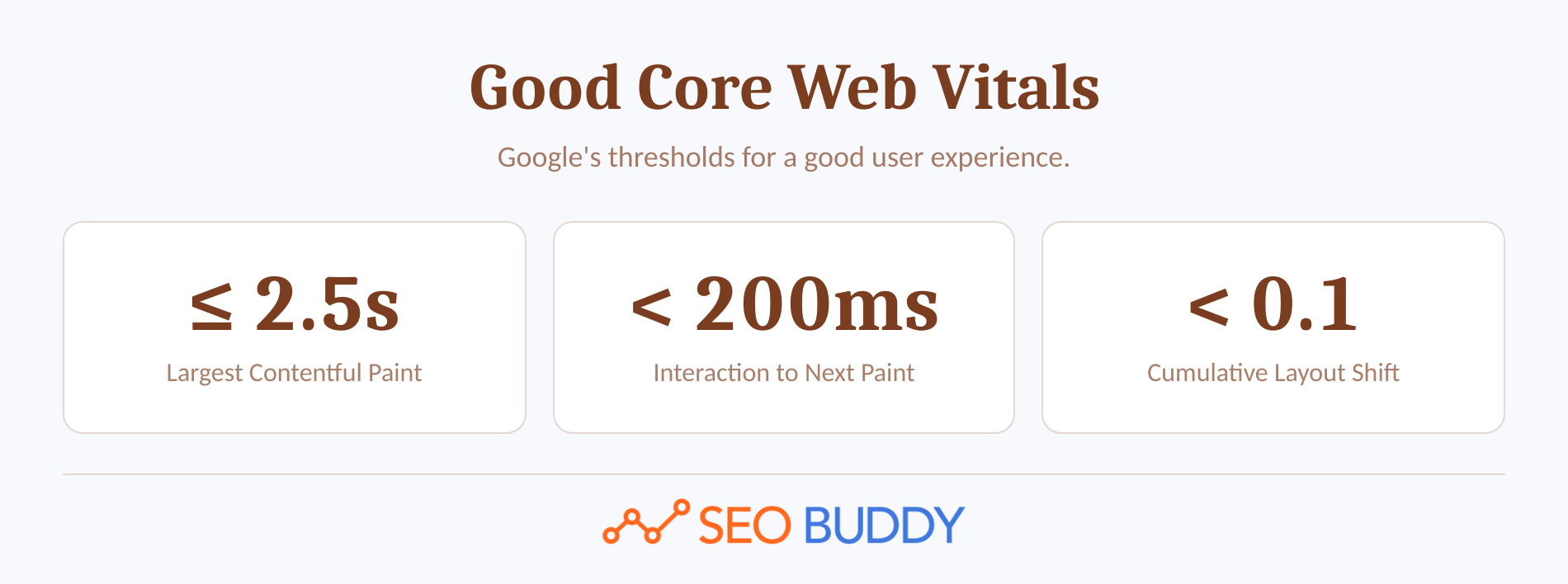
- Largest Contentful Paint: 2.5 seconds or less.
- Interaction to Next Paint: less than 200 milliseconds.
- Cumulative Layout Shift: less than 0.1.
Wix handles much of the infrastructure centrally. Its performance documentation describes automatic image optimization, global content delivery, and lazy loading. The Wix Site Speed dashboard reports real visitor experience and simulated performance data.
WordPress gives the site owner control over the host, server, theme, cache, database, media pipeline, and delivered code. That can produce an exceptionally fast build, but the same freedom can produce a slow site when extensions overlap, templates ship unnecessary code, or maintenance is neglected. This is an architectural inference, not a controlled benchmark between equivalent sites.
Before choosing on speed, test four things:
- A representative article, service page, and conversion page rather than an empty demo.
- Mobile performance with the scripts, fonts, forms, media, and consent tools the live site will use.
- Real visitor data after the site has enough traffic to produce meaningful field measurements.
- The team's ability to correct regressions after editors add applications, embeds, images, or new templates.
Choose the platform whose real pages your team can keep fast, not the platform with the best empty-template score.
Which platform makes SEO publishing easier for your team?
Wix generally reduces setup and maintenance decisions, while WordPress provides a more extensible publishing system. Both support multiple contributors, but their workflow strengths appear in different situations.
The current Wix roles and permissions include blog editors, blog writers, guest writers, content writers, site managers, and custom roles. Wix Blog also supports drafts and scheduled publication through its draft and scheduling documentation.
WordPress includes predefined contributor, author, editor, administrator, subscriber, and multisite roles, as documented in WordPress roles and capabilities. Its publishing tools include drafts, scheduling, and revisions. The WordPress revisions documentation, updated in May 2026, explains how editors can compare and restore saved versions.
Wix Studio adds real-time collaboration, site-specific access, and custom permissions for professional teams, according to the Wix Studio team documentation. Those are workflow advantages, not evidence of an automatic search-ranking advantage.
The CMS cannot decide who approves a title change, who checks redirects, or who validates structured data. Teams should convert those responsibilities into documented SEO procedures. If research and article production are the bottleneck, SEO Buddy's AI Content Engine can produce drafts from site, competitor, business, and brand inputs and deliver them to supported CMS destinations or a signed webhook.
What should your workflow assign?
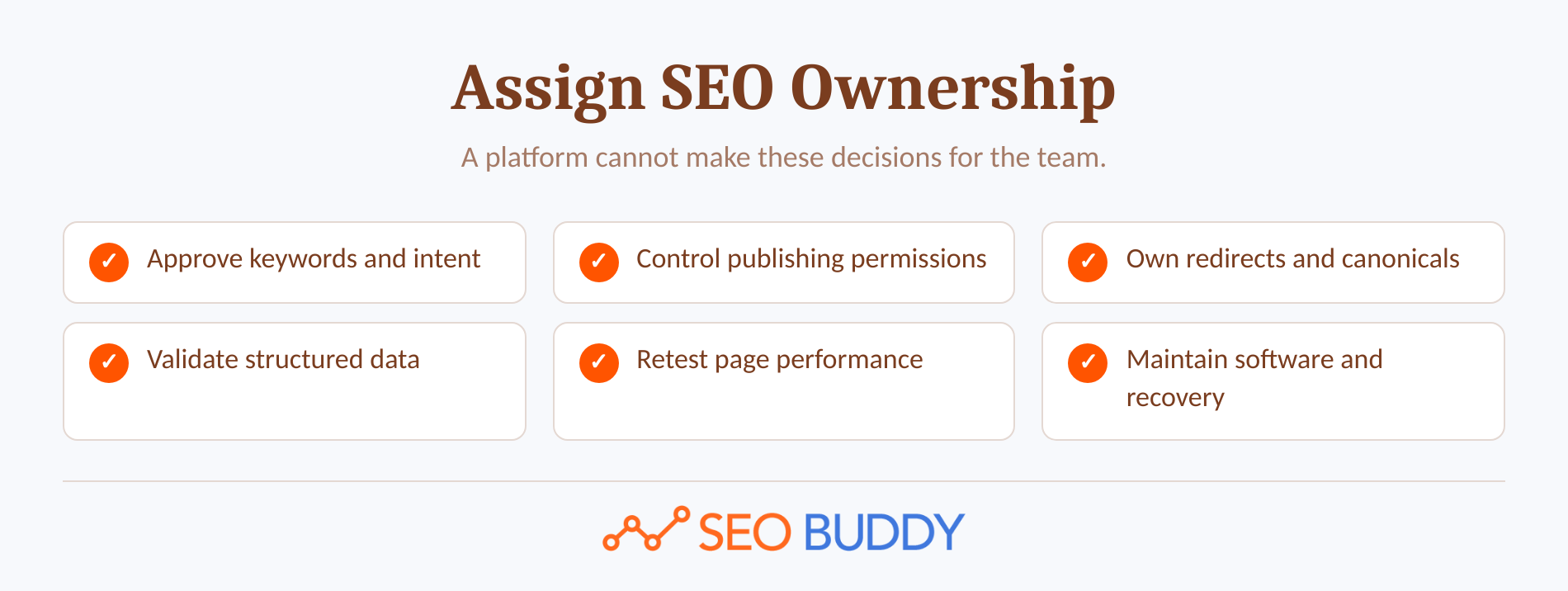
- Identify who approves keyword targets and search intent.
- Identify who can publish and who can only submit drafts.
- Assign ownership of redirects, canonicals, and indexing changes.
- Assign structured data validation before publication.
- Assign performance checks after template or application changes.
- Set a maintenance owner for software, hosting, backups, and recovery.
Content operations favor Wix for contained simplicity and WordPress for customizable governance at scale.
What does each platform really cost after launch?
Wix usually produces a more predictable operating cost, while WordPress creates more freedom to trade money, time, and technical labor. Comparing a Wix subscription only with the price of WordPress software leaves out most of the ownership cost.
Wix bundles hosting and platform updates into its managed service. The Wix hosting documentation explains that Wix sites run on Wix infrastructure and that software setup and updates are handled automatically.
WordPress software can be downloaded without a license fee, but the owner must arrange hosting and a domain. Depending on the build, the business may also pay for premium themes, extensions, developer work, security, backups, testing, and performance maintenance.
Budget for these five categories:
- Platform and hosting: The recurring fee for Wix or the hosting bill for WordPress.
- Build and customization: Templates, design work, integrations, and custom development.
- Extensions: Applications or plugins needed for forms, commerce, analytics, localization, and SEO.
- Maintenance: Updates, backups, compatibility testing, security, and incident recovery.
- Publishing labor: The time required to create, review, optimize, and update content.
Wix is not automatically cheaper, and WordPress is not automatically less expensive because the software is free. The correct comparison is the annual cost of keeping the required SEO system working.
Budget for ownership, not just software: Wix buys predictability, while WordPress buys choice.
Which platform should your business choose?
Choose Wix when reducing technical ownership will help the business publish and maintain a good site. Choose self-hosted WordPress when the SEO requirements are specific enough to justify hosting, code, extension, and maintenance responsibility.
| Business situation | Better starting point | Why |
|---|---|---|
| Solo owner with a conventional service website | Wix | The owner can manage core SEO settings without assembling a technical stack |
| Small marketing team without a regular developer | Wix | Managed hosting and central settings reduce maintenance decisions |
| Content publisher with standard articles and several contributors | Either | Wix simplifies operations; WordPress offers deeper workflow customization |
| Site using custom content types, taxonomies, or programmatic templates | WordPress | Developers can control content models, templates, and URL rules |
| SEO-led company with reliable development support | WordPress | The team can use server, code, and data-level control responsibly |
| Agency that prioritizes concurrent design collaboration and client handoff | Wix Studio | Studio centralizes site access and managed project workflows |
| Business that must choose or change its server configuration | WordPress | Self-hosting preserves infrastructure control and portability |
Ask these questions before signing a contract or beginning a rebuild:
- Is there a real SEO requirement that Wix cannot support, or only a preference for theoretical flexibility?
- Who will maintain WordPress core, extensions, themes, hosting, backups, and security?
- Will marketers need a developer to publish ordinary pages or change metadata?
- Does the planned site require custom routing, content models, or structured data beyond common page types?
- Which platform can the team still operate correctly two years after the launch team has moved on?
When internal experience is limited, first-person SEO case studies can help reveal how process, staffing, and consistency affect results beyond the platform itself.
Pick Wix to reduce operational burden; pick WordPress when the SEO requirements justify technical ownership.
How should you protect rankings if you switch platforms?
Preserve existing URLs wherever possible and map every changed URL to its closest new equivalent. A platform migration should be treated as a search migration, not only as a redesign project.
Google's August 2026 site-move guidance recommends preparing and testing the new site, creating an old-to-new URL map, implementing permanent redirects, updating internal links and annotations, submitting the new sitemap, and monitoring both old and new URLs.
What should a safe migration include?
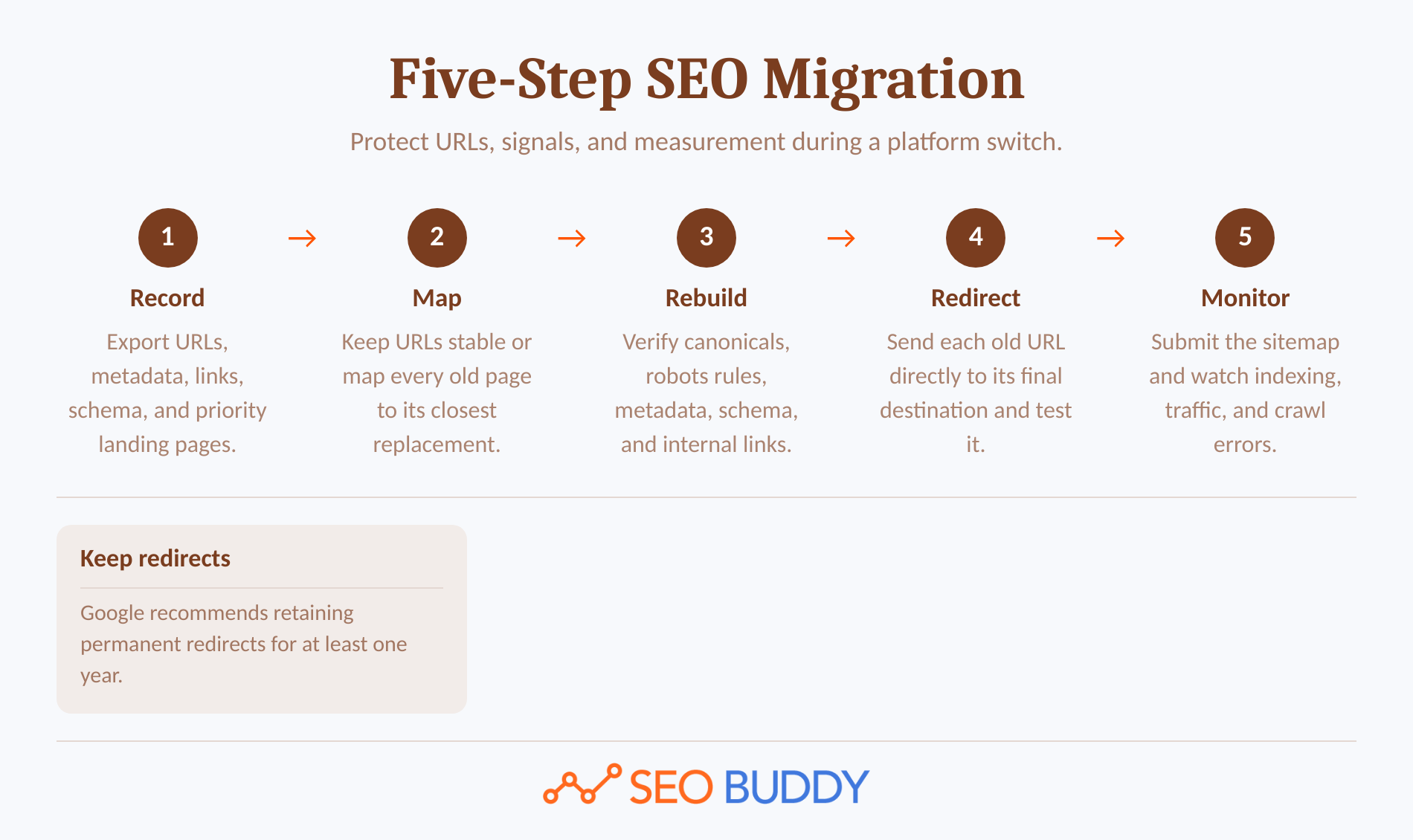
- Record the current site. Export important URLs, organic landing pages, titles, canonicals, index directives, structured data, internal links, and sitemap entries.
- Keep URLs stable where possible. If a URL must change, map it to the most relevant replacement rather than sending every removed page to the homepage.
- Rebuild search controls. Confirm titles, descriptions, canonicals, robots directives, structured data, internal links, status codes, and analytics before launch.
- Implement and test permanent redirects. Send each old URL directly to its final destination and avoid unnecessary redirect chains.
- Launch, submit, and monitor. Submit the new sitemap, inspect priority URLs, watch indexing and traffic, and keep redirects for at least one year as Google recommends.
Wix provides redirects through its URL Redirect Manager documentation. WordPress migrations can use server rules, hosting controls, code, or an appropriate extension, but someone must own the redirect map and testing process.
A platform migration should preserve URLs, redirects, canonicals, crawlability, and measurement before introducing optional design changes.
What are the most common questions about Wix and WordPress SEO?
Both platforms can support successful organic search programs, but they distribute control and responsibility differently. The following answers address the exact questions searchers commonly ask before choosing.
Which website builder is the best for SEO?
The best website builder for SEO is the one that meets Google's technical requirements and lets the team publish useful, well-structured content consistently. Wix is a strong choice for managed simplicity. Self-hosted WordPress is stronger when advanced customization, custom content models, or server-level control are real requirements rather than hypothetical future needs.
Is WordPress still the best for SEO?
WordPress is still a leading SEO choice because self-hosted sites can modify code, URL rules, templates, plugins, hosting, and server settings. WordPress is not automatically better at ranking. It becomes the better option when a capable owner uses that control; neglected updates, poor themes, or excessive extensions can erase the theoretical advantage.
Does Wix have good SEO?
Yes. Wix has good SEO for most small-business, portfolio, local-service, and conventional content sites. As of September 2026, Wix supports editable titles, descriptions, canonicals, indexing controls, robots.txt, automatic sitemaps, redirects, and structured data workflows. The main tradeoff is less server-level freedom, not an inability to perform basic SEO.
Is Wix Studio better than WordPress?
Wix Studio is better than self-hosted WordPress for some agencies that value managed infrastructure, concurrent editing, client handoff, and centralized project permissions. WordPress is better when the agency needs unrestricted hosting, code, data-model, or server configuration control. Wix Studio improves professional workflow; it does not create an automatic SEO ranking advantage.
Both platforms can rank; the better choice is the one the team can operate correctly.
What should you do next?
Choose the operating model first, then turn the platform decision into an assigned 90-day SEO plan. Use SEO Buddy's 122-step SEO Checklist to organize technical, content, on-page, and authority work across either Wix or WordPress.
The platform decision happens once; the operating process matters every week.

CEO & Founder at SEO Buddy






Get the SEO work done, not just read about it
Create a free account and run your first content plan, keyword research and link-building campaign. No card, and setup is free until your first article.
Free to start. We never sell your address.